See what each part of the shop floor earns.
Map each store once. Campora then shows sales by wall, table and rail, sends visual merchandising to stores and tells you which changes paid off.
The money map
Every fixture, coloured by what it sold. Click a section to see what it earned and what to do about it.
 Shirt wall$9,800 up $900
Back wall$5,600 up $400
Jacket rail$3,100 no change
Knit shelf$2,700 up $200
Front table$2,400 up $1,100
Gondola 1$2,200 up $300
Gondola 2$1,200 down $2,100
Down $2,100. Rework it: the Sand Linen Jacket is selling from the back room and has no place on the floor.
Sales by section
Each wall, table and rail with its sales and the change on last week.
Stock customers cannot see
Products that sold from the back room without a place on the floor are listed first.
A next step for each line
Bring it to the floor, add depth or reset the section, before anyone books a transfer.
VM Packs
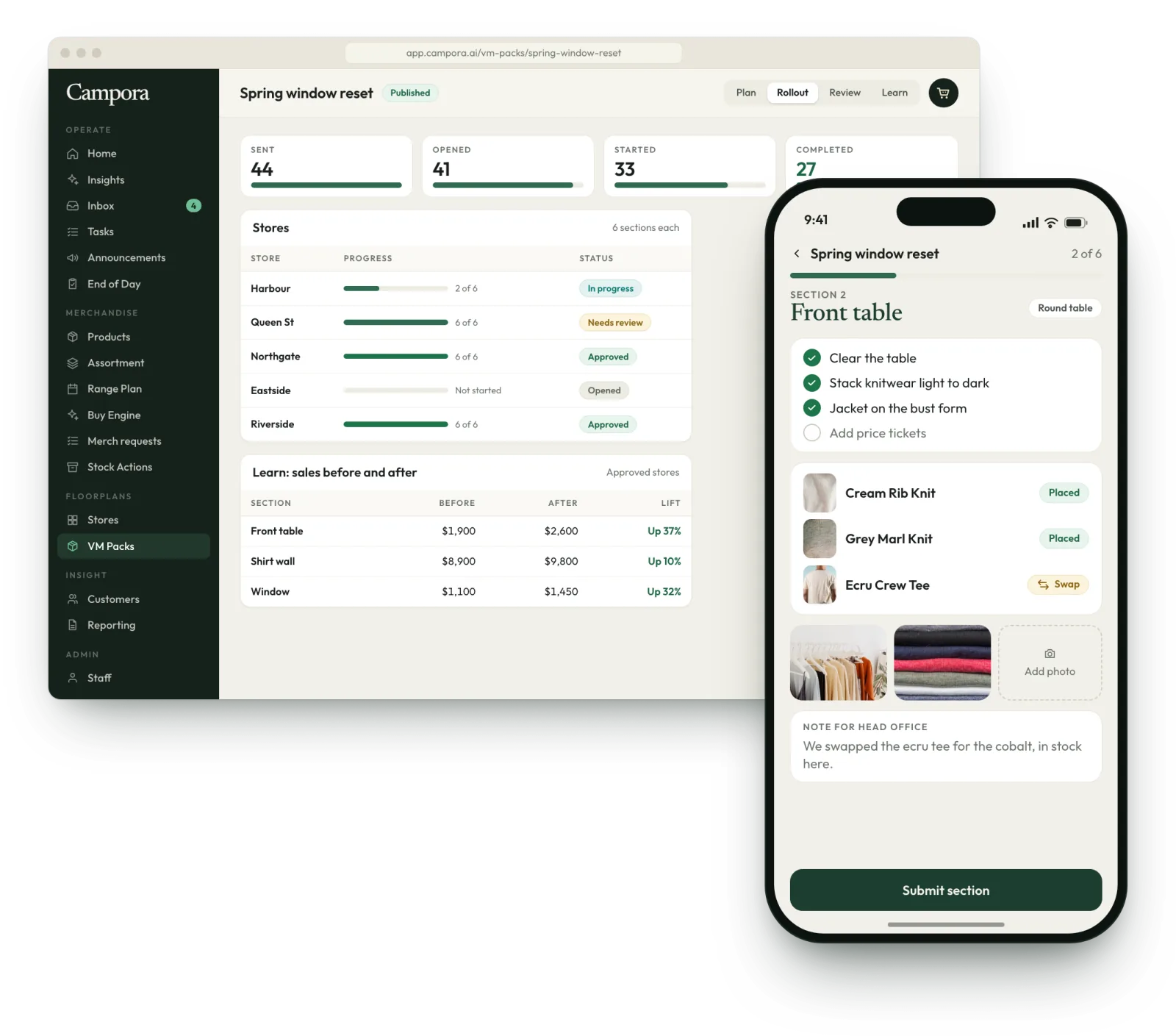
Build a visual merchandising pack once: the products, where they go and the steps to set them. Stores work through it section by section and send photos back.
- See which stores have opened, started and finished.
- Review the photos, then approve or ask for changes.
- Learn compares sales before and after, section by section.
Stores
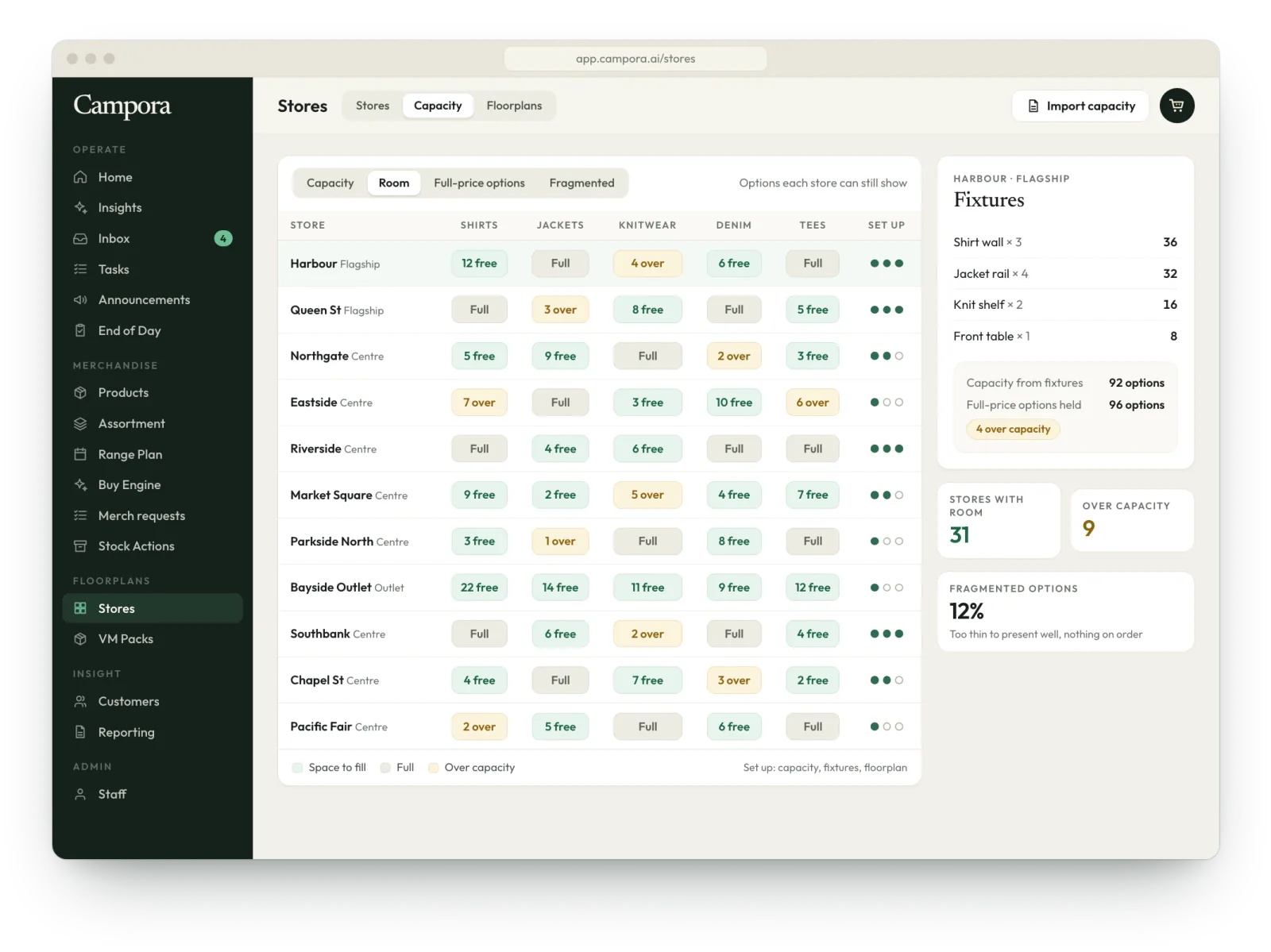
Each store's floorplan, fixtures and capacity in one place, so what you send fits the space each store really has.
- Capacity by category, worked out from the fixtures on the floor.
- See which stores have room and which are over.
- Floorplans keep their history, so you can see how a floor looked on any date.
See Campora with your own stores.
Tell us a little about your business and we will set up a walkthrough.