Head office and every store, working from one list.
Everything a store is asked to do, and everything it needs to tell you, in one place. Email and group chats stop carrying the business.
The store's day, in one list
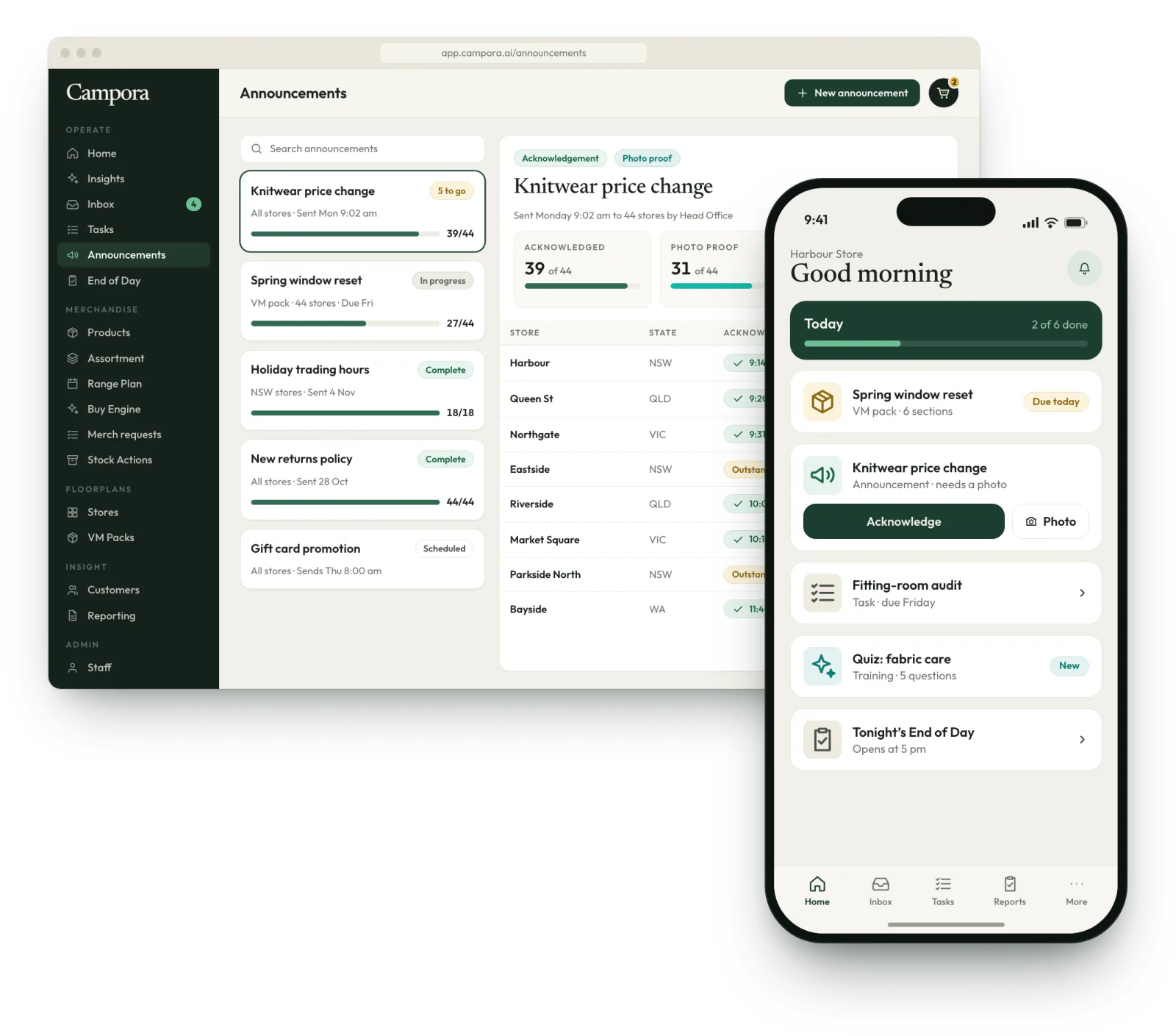
Each store opens Campora to what is due today. Head office sees the same list from the other side: what is done, and what is outstanding.
Home and Inbox
Today's tasks, announcements, VM packs, training and tonight's End of Day, in the order they are due.
Tasks
Every task has an owner and a due date. Stores reply with a comment and a photo, so done comes with proof.
Announcements
One message to exactly the right stores, by state, channel or a hand-picked list. Ask for an acknowledgement or a photo and see who has not answered.
End of Day
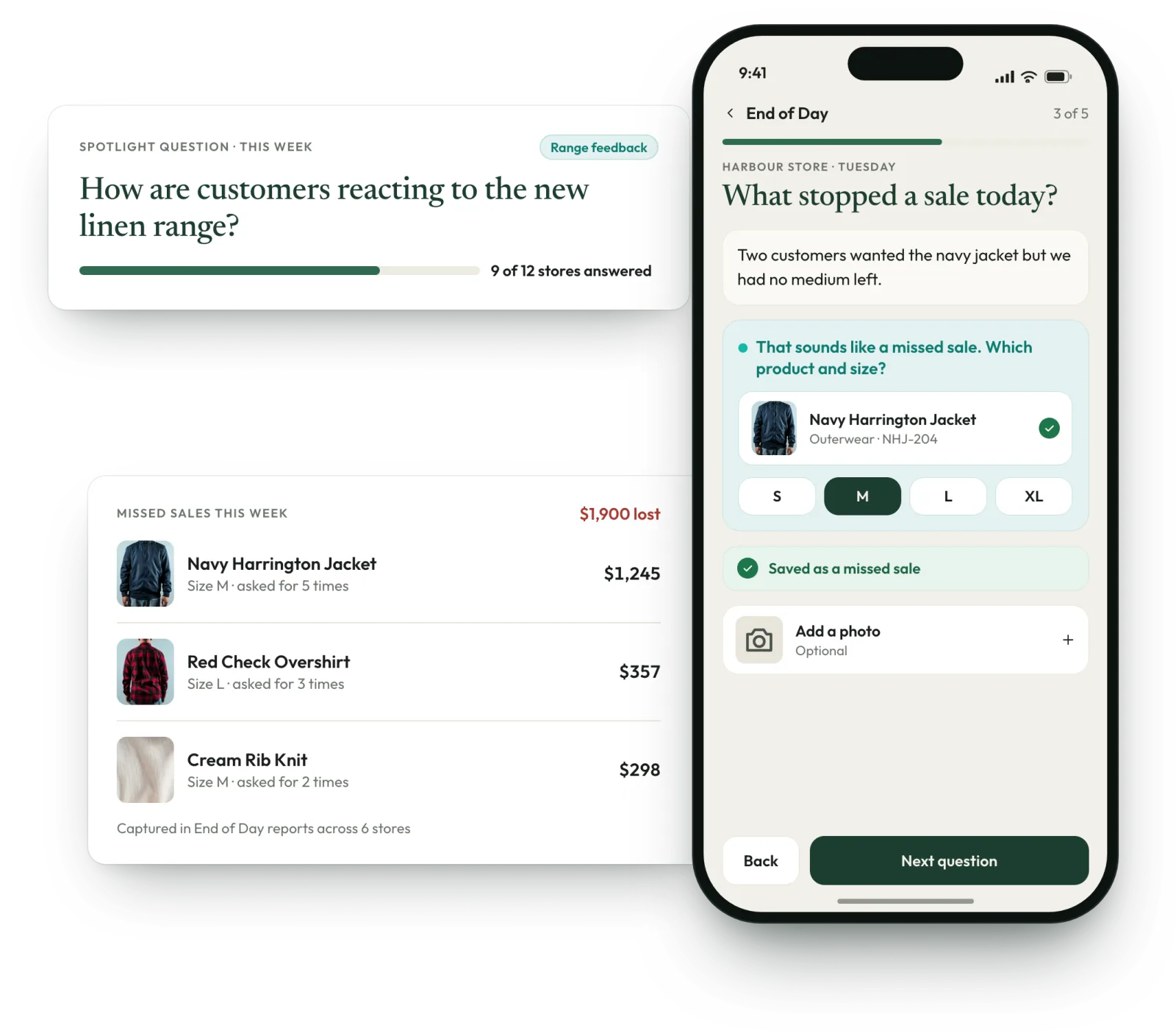
Each store answers a few questions at close. It takes about two minutes and captures what a sales report cannot: the customer who left without their size, the promotion next door, the fitting-room light that has been out all week.
- Missed sales are saved with the exact product and size.
- Campora asks one follow-up question when a detail is missing.
- Add a spotlight question to ask every store the same thing for a week.
Insights
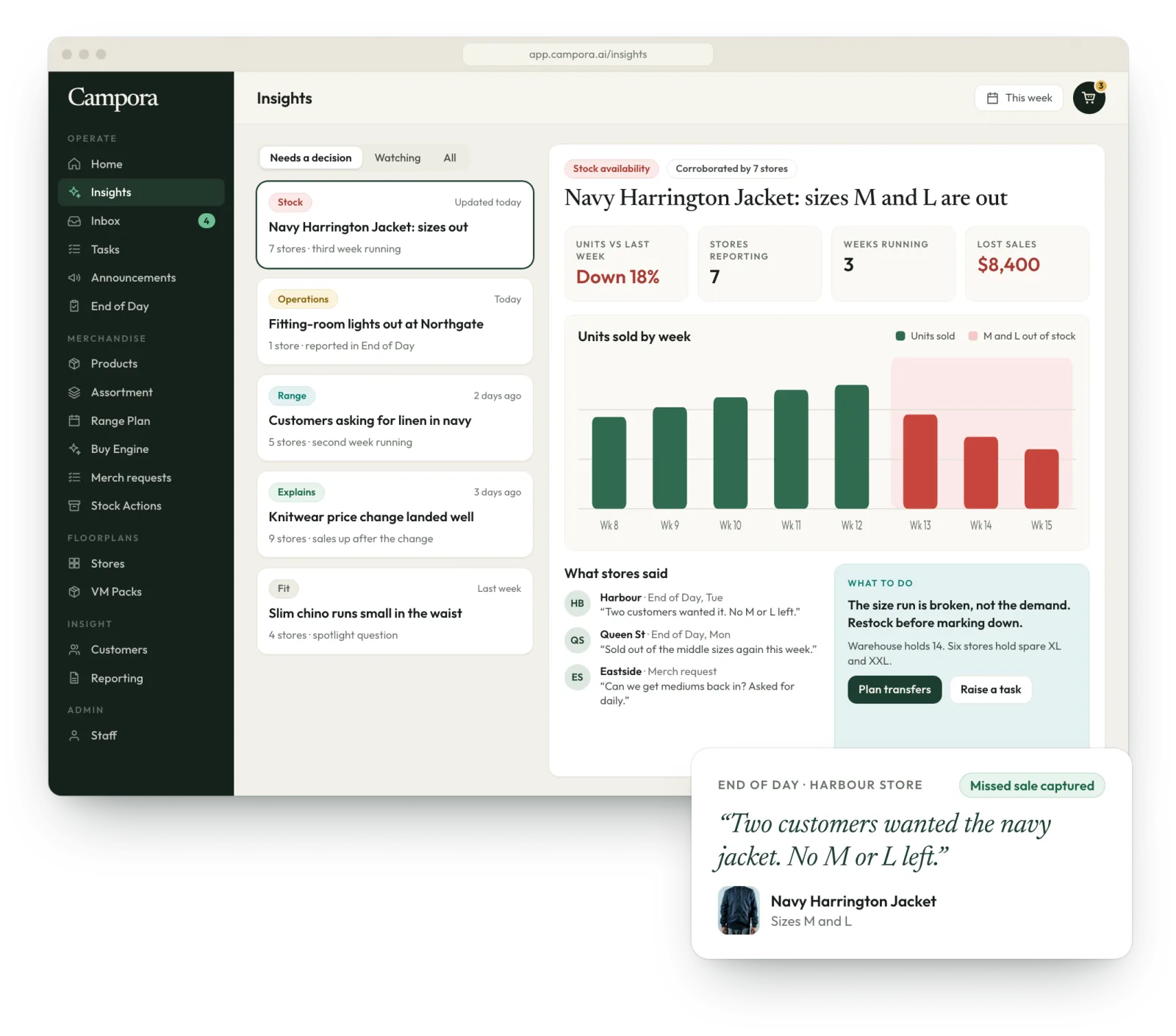
Insights reads every store report next to the sales and groups what it finds. Seven stores reporting the same missing size become one issue with a dollar figure on it.
- Each issue shows the stores behind it and the sales it affected.
- Quotes from the stores sit beside the chart.
- Every issue ends in a next step, such as a transfer or a task.
Merch requests
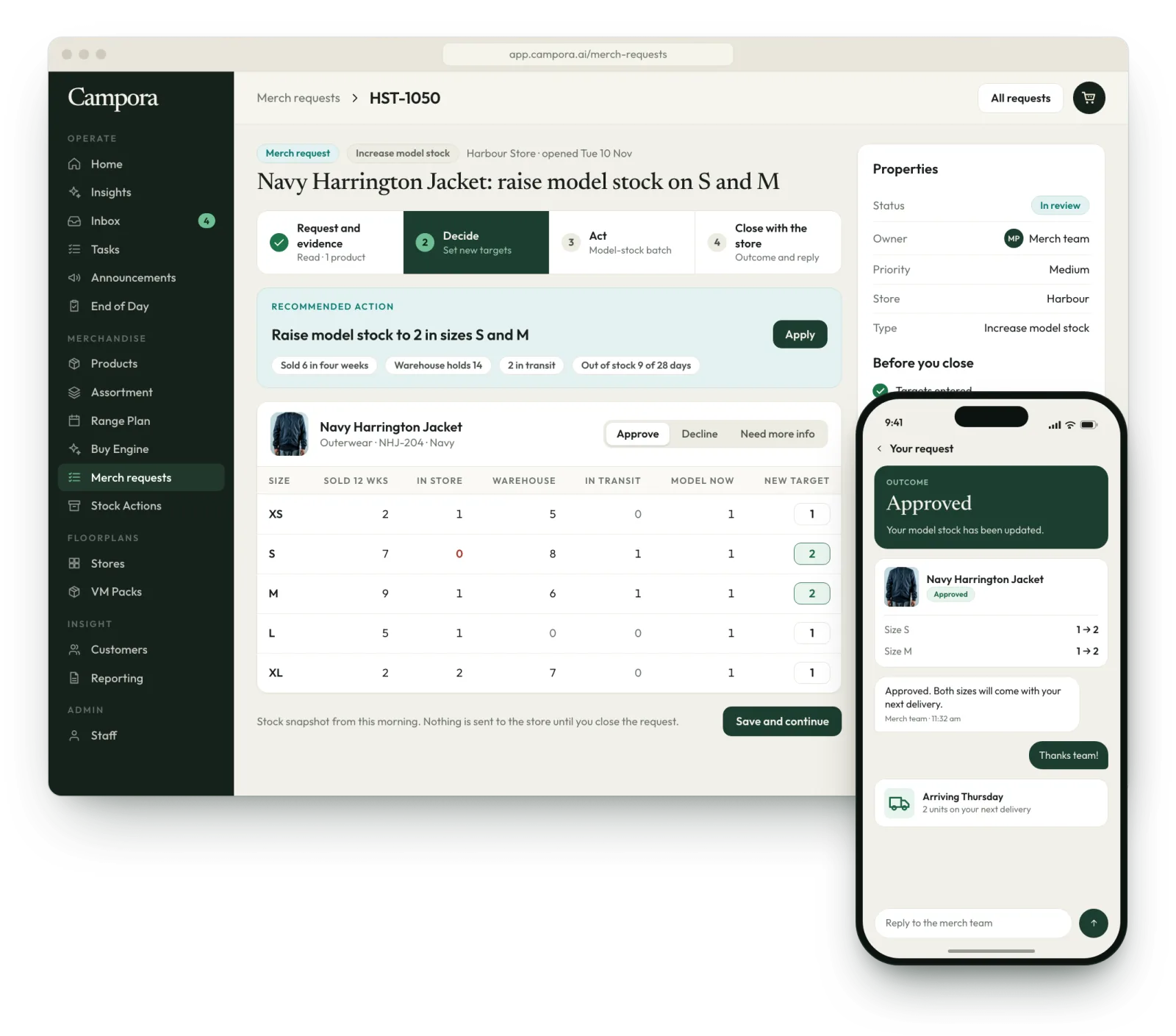
Stores ask for stock, fixtures or changes in one place. Each request arrives with the sales and stock evidence already attached and a recommended action, so the merchandise team can decide quickly.
- Sales, stock and size detail are attached for you.
- Approve, decline or ask for more information.
- The store sees the outcome and the delivery on its phone.
Also in Operations
Store Visits
Area managers score each visit on the same template, with photos. Campora writes the summary and drafts the follow-up tasks.
Forms
Build your own checklists and audits, send them to stores and export the answers.
Library & Training
Guides and training in one library, with short quizzes that stores finish from Home.
Dashboards
Today's trade for every store against budget and last year, by state, region or channel.
See Campora with your own stores.
Tell us a little about your business and we will set up a walkthrough.