Know what shoppers asked for and who served them.
Customers, store teams and the questions shoppers ask in store, kept beside the sales they lead to.
Tap to Ask
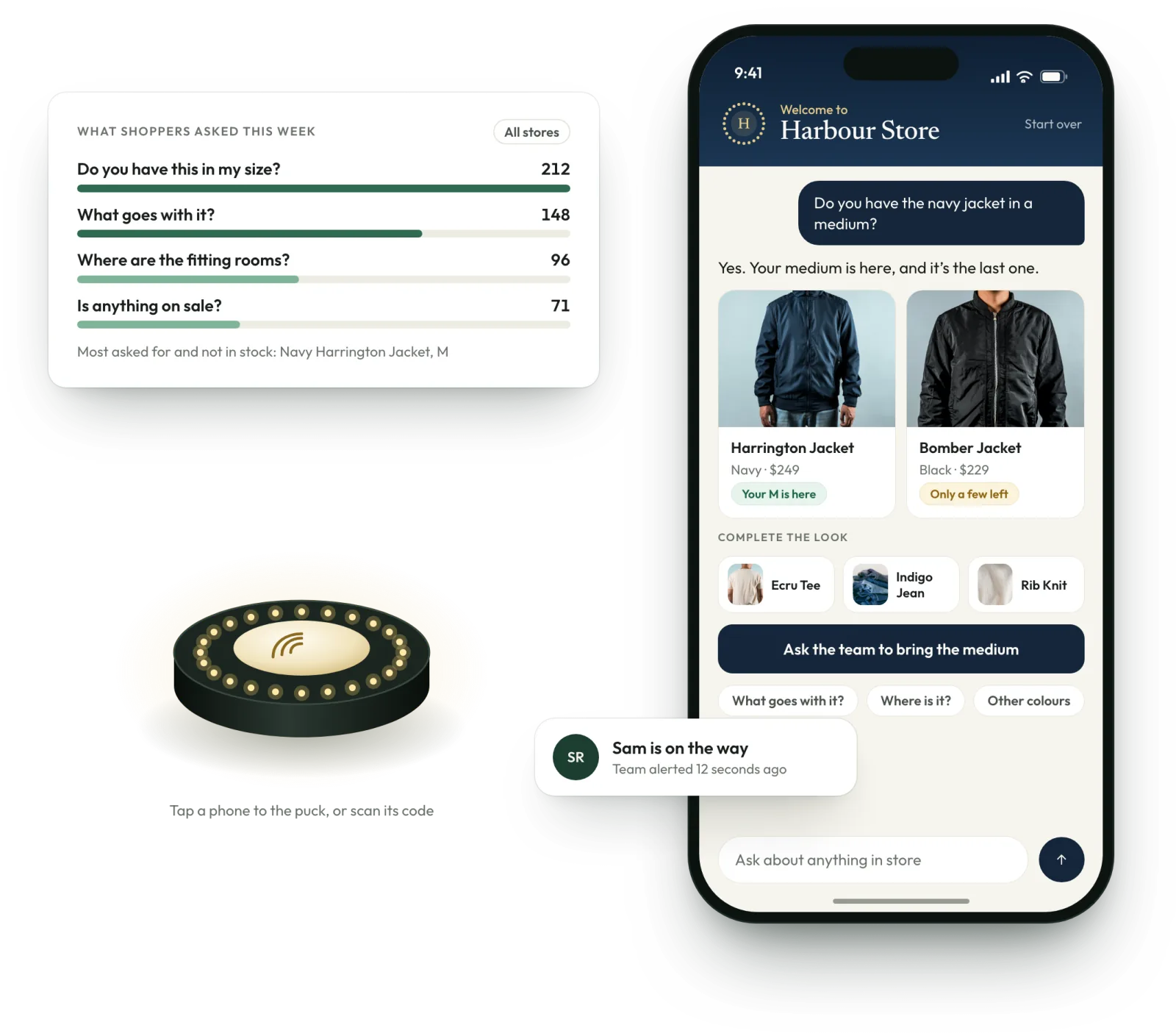
A shopper taps their phone on a puck in store, or scans its code, and asks a question. Tap to Ask answers from that store's live stock and floorplan.
Stock and sizes, live
Every answer shows what is in this store now, in which sizes, and where it sits on the floor.
Help when they want it
The shopper asks for the team and a staff member gets the alert straight away.
What shoppers ask, kept
Head office sees the questions asked most, and what shoppers wanted that was not in stock.
Customers
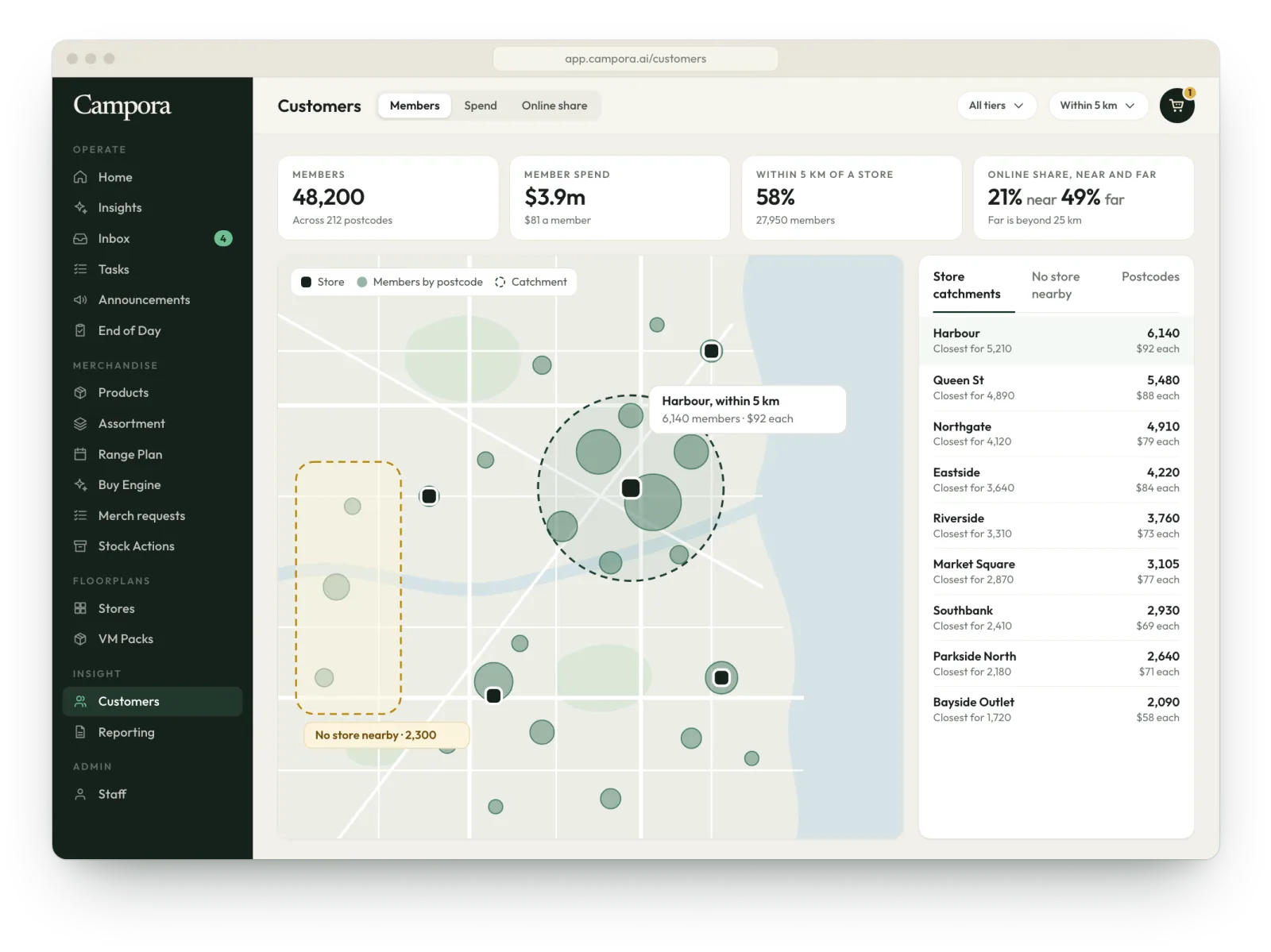
See where your members live and how far they travel to each store. Find the places with plenty of members and no store nearby.
- Members, spend and online share by postcode.
- Each store's catchment on a map.
- Shown as groups, never as named individuals.
Staff
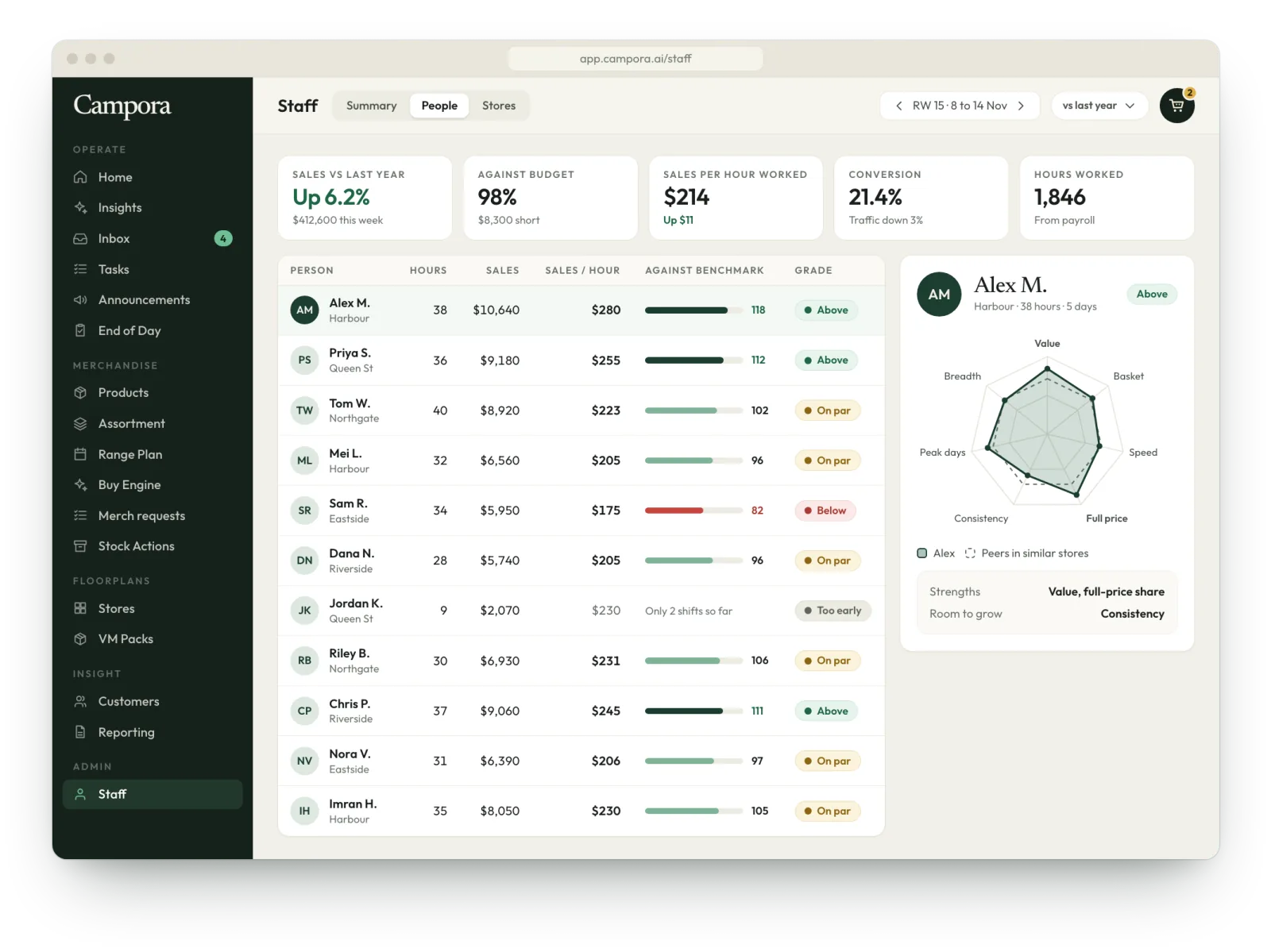
See who is selling, measured fairly: sales for each hour worked, compared with people in similar stores.
- Sales, hours and sales per hour for each person.
- Their strengths, and the one thing to coach next.
- Every view says how reliable its evidence is.
Also in People
Shopper requests
When a shopper asks the team for help through Tap to Ask, the request lands here for the store to answer.
Online
The same assistant on your web store, answering shoppers from your product range.
See Campora with your own stores.
Tell us a little about your business and we will set up a walkthrough.